แสดงบทความที่มีป้ายกำกับ iTune แสดงบทความทั้งหมด

วันศุกร์ที่ 4 มกราคม พ.ศ. 2556

iTunes 11.0 for Windows

iTunes 11.0 for Windows

Windows System Requirements

  • PC with a 1GHz Intel or AMD processor and 512MB of RAM
  • Windows XP Service Pack 2 or later, 32-bit editions of Windows Vista, Windows 7, or Windows 8
  • 64-bit editions of Windows Vista, Windows 7, or Windows 8 require the iTunes 64-bit installer
  • 400MB of available disk space
  • Broadband Internet connection to use the iTunes Store
Download

.

iCloud Control Panel 2.1.1 for Windows Vista, Win 7, Win 8

iCloud Control Panel 2.1.1 for Windows Vista, Win 7, Win 8


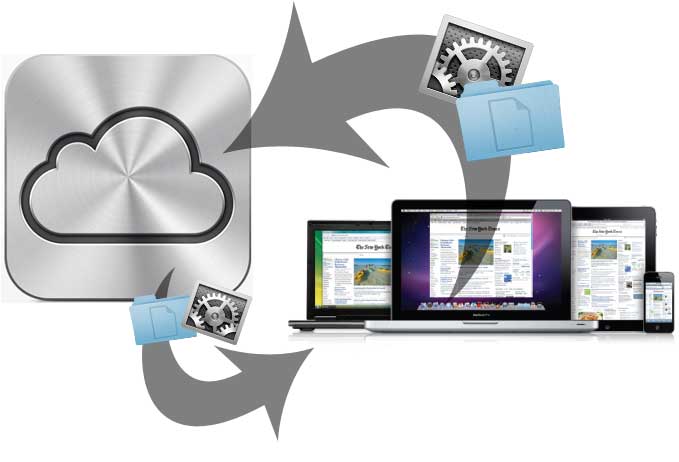
How to Use iCloud for Windows

  1. Download it from Apple website
  2. Turn on iCloud: Windows Start menu > Control Panel > Network and Internet > iCloud
  3. Enter the Apple ID associated to your iCloud account and select the iCloud services you’d like to enable.
Please note that Outlook 2007 or 2010 is required for accessing iCloud email, contacts, and calendars. Safari 5.1.1 or Internet Explorer 8 or later is required for accessing bookmarks.
To create an iCloud account you need an iOS device like iPhone, iPad or iPod touch with iOS 5, or a Mac with OS X Lion v10.7.2.

Download

.

iTools Build 1018 for iTune

iTools Build 1018 for iTune


iTools 2012 Build 1018 Released:

Fully support iPhone5, iOS6, iTunes 10.7
Better experience for apps installation
Available for change the theme as you like
New photo gallery default browse mode
Better experience for database, add right-click menu, list all related functions
Better experience for detect apps upgrading automatically

Download
Download Mirror

.

iCloud Control Panel 1.1.0 for Windows XP

iCloud Control Panel 1.1.0 for Windows XP


How to Use iCloud for Windows

  1. Download it from Apple website
  2. Turn on iCloud: Windows Start menu > Control Panel > Network and Internet > iCloud
  3. Enter the Apple ID associated to your iCloud account and select the iCloud services you’d like to enable.
Please note that Outlook 2007 or 2010 is required for accessing iCloud email, contacts, and calendars. Safari 5.1.1 or Internet Explorer 8 or later is required for accessing bookmarks.
To create an iCloud account you need an iOS device like iPhone, iPad or iPod touch with iOS 5, or a Mac with OS X Lion v10.7.2.

Download

.
Related Posts Plugin for WordPress, Blogger...
Driverbiggershares - แจกฟรี ไดร์เวอร์ ,เฟิร์มแวร์ ,รอมโปรแกรม